
Rename, copy or delete a Video
Open the menu
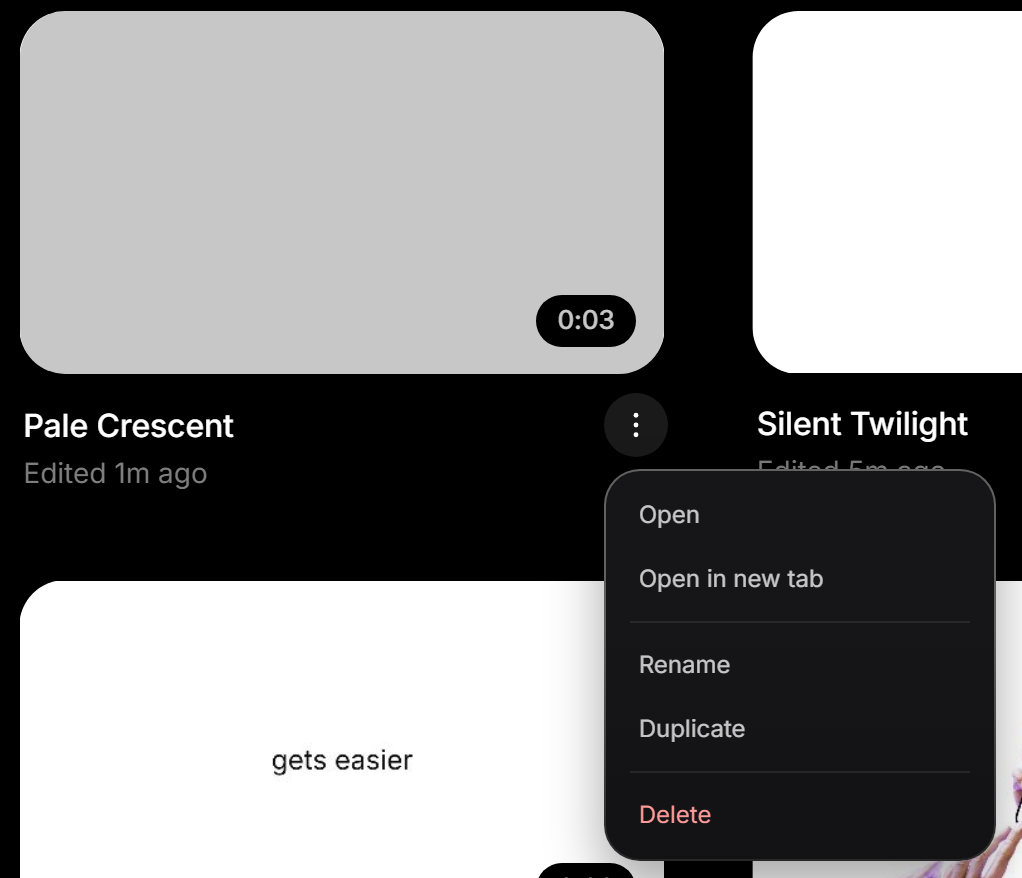
In Files, point at a Video and click ⋮ next to its name. You can also right-click the Video.
Rename
Click Rename, type the new name and press Enter. In the editor, you can also click the name at the top left.
Duplicate
Click Duplicate. The new Video has “copy” at the end of its name and its own copies of your uploads, so changing one Video never changes the other. Those copied uploads count toward your upload space.
Delete
Click Delete, and you have 8 seconds to click Undo. After that, or as soon as you leave Files, the Video is gone. There’s no trash.
Still stuck?
Sign in and tell us what happened. We’ll email you back. Problem in the editor? Report it from the editor so we can see your screen.
To ask about a payment or a refund, go to paddle.net. For anything else, email support@dranic.com.